
In short
- Free app lock: Mihon on Android has "Require unlock", a secure screen, hidden notification text, incognito mode and "Clear history".
- Paid lock: Panels locks comics and folders with a password or Face ID on Premium ($1.49 a month, $14.99 a year or $19.99 once).
- Folder lock on iPhone and iPad: YACReader's iOS app; its Android page does not mention one.
- Shared home server: Komga and Kavita restrict each user by age rating and by library.
- Webtoon stores give you bookmarks; clearing history is documented on WEBTOON and MangaPlaza.
A private library is the part of a comic app nobody else sees: the shelf of what you bought or saved, your reading history, and the lock in front of both. For adult comics the question is practical. Who else picks up the phone or tablet, and what do they see when they open the app or glance at the notifications? Some services answer with a passcode, some with an incognito switch, most with nothing beyond an account login. This page is one of our platform features comparisons and folds bookmarks and reading history into the same question.
Comic reader apps with a passcode or hidden library
Mihon, the free open-source manga reader for Android, has the fullest set of privacy settings we found, all free. Under Settings, Security and privacy: "Require unlock" puts an app lock in front of the library, "Secure screen" hides app contents when switching apps and block screenshots
, "Hide notification content" blanks what its notifications say, and "Incognito mode" Pauses reading history
. "Clear history" wipes what is there, after the warning Are you sure? All history will be lost.
Its docs also suggest a .nomedia file in the local folder so pages do not turn up in the phone's photo gallery. Mihon installs as an APK from its own site; there is no iPhone version.
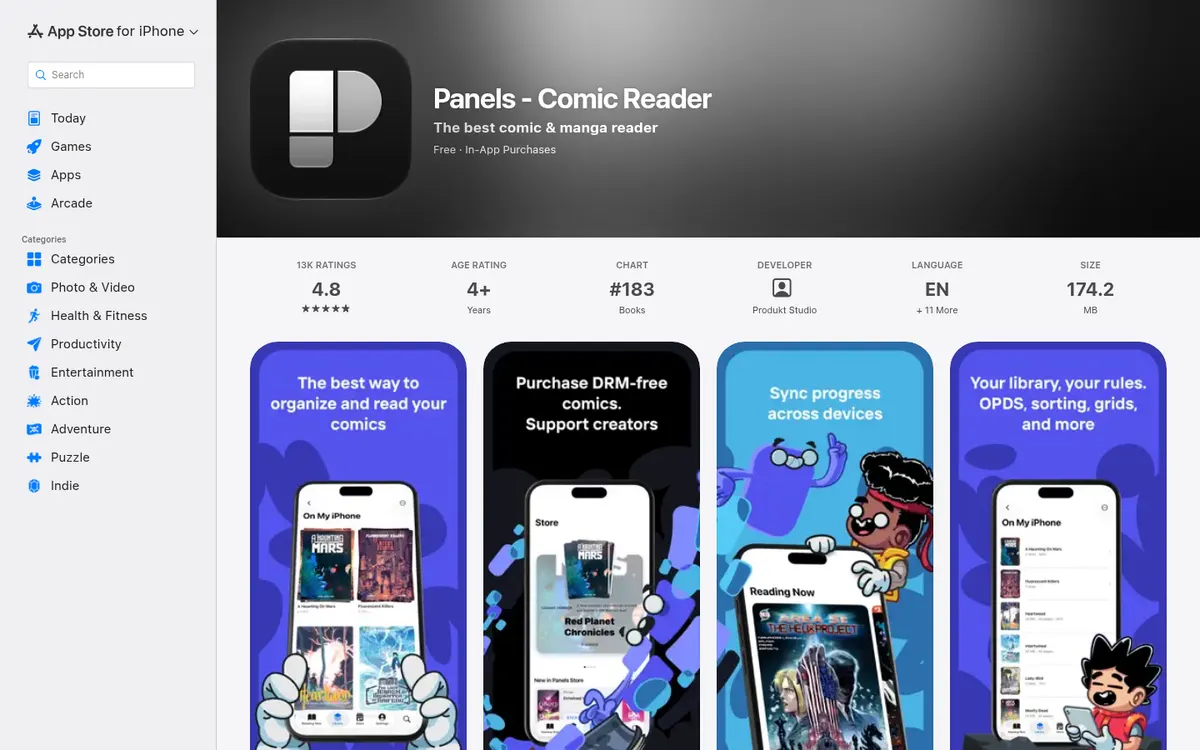
Panels, for iPhone, iPad and Mac, puts its privacy tools in Premium: Keep files locked using a password or Face ID for your collections and files. Use Incognito mode to keep your reading sessions hidden.
The site adds Lock any comic or folder with a password for added privacy.
Premium costs $1.49 a month, $14.99 a year or $19.99 once for the current major version. Incognito hides new sessions; Panels does not document clearing past history.
YACReader's iOS app documents parental control, lock certain folders so only you can have access to them.
The Android page does not list the lock, so on Android assume it is absent. The iOS app costs $4.99.
The others are thinner. Perfect Viewer and CDisplayEx document no passcode, app lock or hidden folder. Perfect Viewer X's release notes add Clear all history and bookmarks
, and CDisplayEx keeps bookmarks for its $5.99 Premium version. Chunky, an iPad reader once known for a passcode-locked parental mode, has not been updated since August 2020.
yesnonot confirmed
- Private library
- Clear reading history
- Bookmarks
- Private library
- Clear reading history
- Bookmarks
- Private library
- Clear reading history
- Bookmarks
- Private library
- Clear reading history
- Bookmarks
- Private library
- Clear reading history
- Bookmarks
- Private library
- Clear reading history
- Bookmarks
- Private library
- Clear reading history
- Bookmarks







Age restrictions on a shared home server
Komga and Kavita solve the shared-household version of the problem. Both are free servers you run on your own computer or NAS, with logins for each person. Komga's admin can set per-user content restrictions by age rating and by labels, and An administrator can limit what libraries users can access.
Kavita advertises Restrict access based on library or age restrictions
and rating restrictions with customizable age controls and policies
, with built-in or OIDC logins. Put the adult shelves in their own library, give other household accounts no access, and they never see it. That setup is our general advice; the restriction tools are the projects' own.
Libraries, bookmarks and history on webtoon and manga stores
yesnonot confirmed
- Private library
- Clear reading history
- Bookmarks
- Private library
- Clear reading history
- Bookmarks
- Private library
- Clear reading history
- Bookmarks
- Private library
- Clear reading history
- Bookmarks
- Private library
- Clear reading history
- Bookmarks
- Private library
- Clear reading history
- Bookmarks
- Private library
- Clear reading history
- Bookmarks
- Private library
- Clear reading history
- Bookmarks
- Private library
- Clear reading history
- Bookmarks
- Private library
- Clear reading history
- Bookmarks
- Private library
- Clear reading history
- Bookmarks











On the stores, a private library means your account shelf. Manta's My Series splits into Current Reads, Unlocked and Saved. Tappytoon has a Library tab and My List. Honeytoon records what you open under "Recently Read" and lets you save series to "Favorites"; it has a My Library page, but how private it is goes undocumented. Toomics has favorites and a My Library, Lalatoon a Recently Read history and Favorites, and TOPTOON Plus a Favorites button. Tapas puts bookmarks in Your Library. On itch.io and Affect3D the library is the list of what you bought, and itch.io says pages it hid from browse in 2025 have not been removed from your library or collections
.
Clearing history is rarer. WEBTOON documents it in the app: MY, then RECENT, the trash can icon, then "Delete All". MangaPlaza lets you delete history and favorites item by item from My Library. TOPTOON Plus' FAQ mentions a reading history but not how to delete it, and Lezhin, Tapas, BookWalker and FAKKU do not document history deletion on their public pages.
What store apps show on a shared phone
Apple's guideline 2.3.8 requires app icons, screenshots and previews to suit a 4+ rating even when the app is rated higher, so a webtoon app icon on a home screen is tame by rule. The store builds of the adult webtoon services are cleaner still, because their explicit editions are not in the app at all. Lezhin's developer reply on the App Store says we do not provide any mature content in our app
; Toomics' help centre says it cannot support adult content in its apps; Tapas keeps its Mature section off the apps; Manta's 18+ full versions are web only.
Tappytoon is the exception. It says unlocked Steamy content will be stored in your Library
, and that library shows in the app as well, even though Steamy and Uncut episodes open only on the website. Someone scrolling your Tappytoon app library can see which Steamy titles you unlocked.
The web-only services (Honeytoon, MangaPlaza, FAKKU, Irodori Comics) leave their trace in the browser instead. A private window and a separate browser profile are the general-purpose fixes. Downloading DRM-free files into a locked reader (see DRM-free downloads) moves the whole library out of the browser. For account removal, see how to delete a comic app account, and for the wider safety picture, are adult comic sites safe.
What privacy costs
The free options are Mihon on Android and Komga or Kavita on a home server (Kavita+ at $4 a month adds metadata sync, not the restrictions). On Apple devices the lock costs money: Panels Premium or the $4.99 YACReader app. On the stores, privacy comes with the account and costs nothing extra, but it is also limited to a login and, on two services, a delete button.
FAQ
Which comic reader app has a password lock?
Mihon (Android, free) has an app lock. Panels (iPhone, iPad, Mac) locks comics and folders with a password or Face ID on Premium. YACReader's iOS app can lock folders.
How do I delete my reading history on WEBTOON?
In the app, open MY, then RECENT, tap the trash can icon and choose "Delete All".
Do Tappytoon Steamy comics show in the app?
They cannot be read there, since Steamy and Uncut editions are web only. Tappytoon says unlocked Steamy content is stored in your Library, which also shows in the app.
Does the Panels lock need Premium?
Yes. The password or Face ID lock and incognito mode are Premium features: $1.49 a month, $14.99 a year or $19.99 once in the US App Store.
Can I hide adult comics from other people on a home server?
Yes, on Komga and Kavita. Both let the admin restrict each user by age rating and choose which libraries each account can open.