

In short
- The Windows reader is a free download for personal use.
- On Android, Lite is free and shows ads; Premium is a one-off $5.99 on Google Play (US price) with no ads.
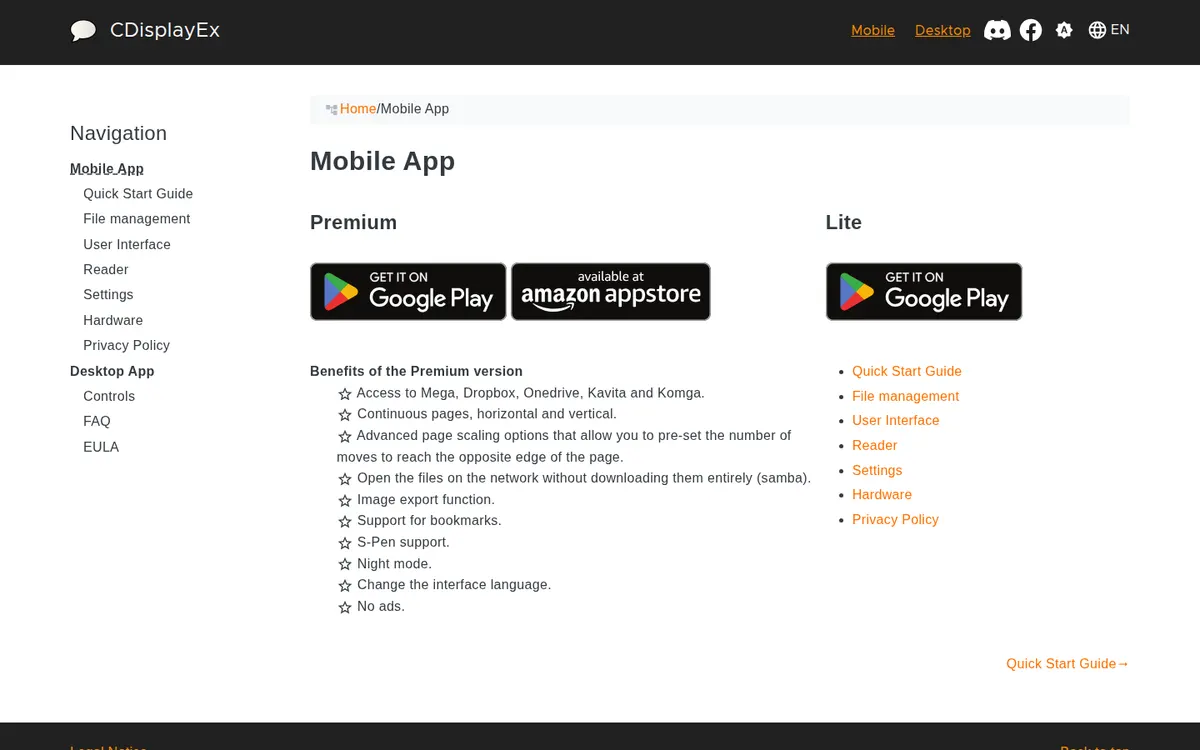
- Premium adds Mega, Dropbox, OneDrive, Komga and Kavita, continuous scrolling, bookmarks and night mode.
- There is no iPhone or iPad app and no passcode lock.
- Google Drive support is being removed from the Android app.
What CDisplayEx is
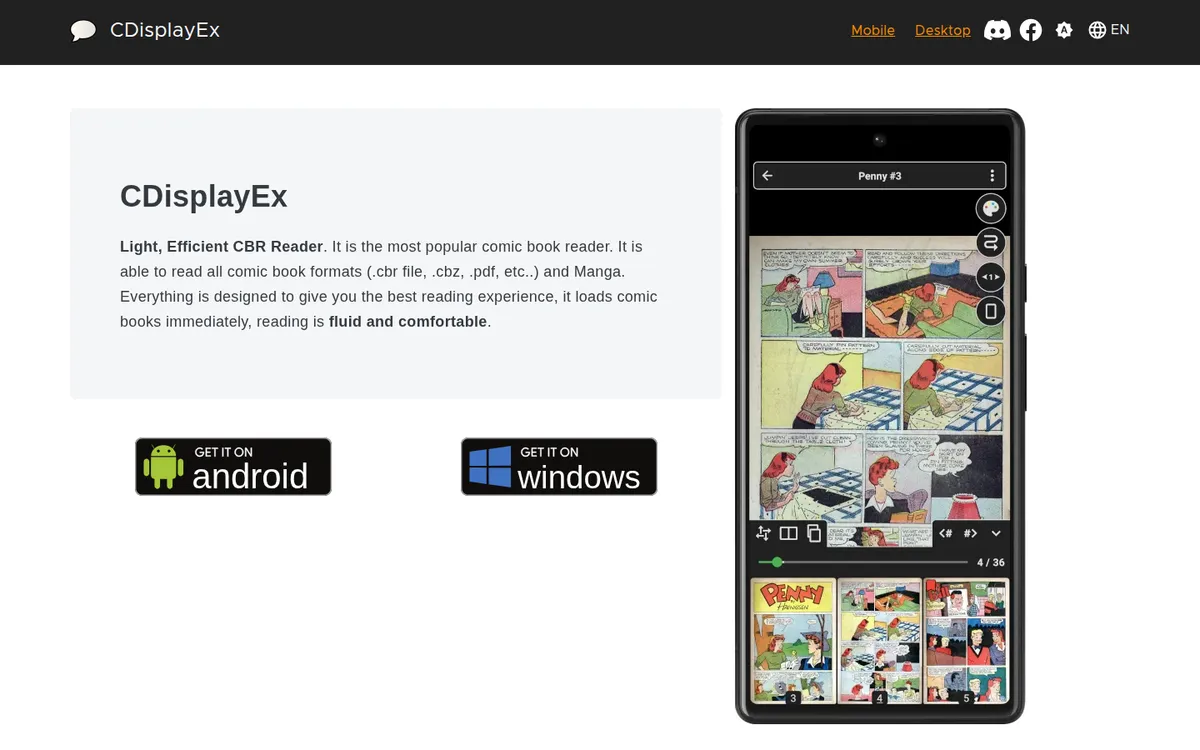
CDisplayEx is a reader for comic files, built by Progdigy Software SARL. It sells nothing and has no catalog. Its site describes it as able to read all comic book formats (.cbr file, .cbz, .pdf, etc..) and Manga
, and that is the whole job: open the archives you have, show them a page at a time, remember where you stopped.
There are three products under the name. The Windows desktop reader, offered as 64-bit and 32-bit installers. CDisplayEx Comic Reader Lite for Android, free with ads. And CDisplayEx Comic Reader, the paid Android Premium app.
Where to get CDisplayEx
The Windows version downloads from cdisplayex.com under a royalty-free, non-exclusive, non-transferable license
for personal use. Both Android apps are on Google Play and rated Everyone; Lite has more than a million installs, Premium more than 100,000.
Apple users are out of luck. The official site lists only Windows and Android, and an App Store search for CDisplayEx returns no CDisplayEx app.
- iPhoneNoNo iOS app: the official site lists only the Android mobile app and Windows desktop downloads, and an App Store search for CDisplayEx on…
- AndroidYesGoogle Play: Premium $5.99 (100K+ downloads) and Lite free with ads (1M+ downloads).
- BrowserNoWindows desktop app (64-bit and 32-bit installers) and Android apps only.
Lite or Premium on Android
Progdigy lists the Premium benefits on its mobile page, word for word: Access to Mega, Dropbox, Onedrive, Kavita and Komga. Continuous pages, horizontal and vertical... Open the files on the network without downloading them entirely (samba). Image export function. Support for bookmarks. S-Pen support. Night mode. Change the interface language. No ads.
| Lite | Premium | |
|---|---|---|
| Price on Google Play (US) | Free | $5.99 once |
| Ads | Yes | No |
| Local folders, Samba and FTP | Yes | Yes, Samba without full download |
| Mega, Dropbox, OneDrive | No | Yes |
| Komga and Kavita servers | No | Yes |
| Continuous scroll, bookmarks, night mode | No | Yes |
| Data shared with third parties (Data safety) | App activity, app info and performance, device IDs | None declared |
The continuous vertical mode is Premium only, so Lite is a poor fit for long-strip files and adult webtoons saved as one tall image per chapter. For page-based hentai manga and porn comics, Lite reads them fine if you can live with the ads.
How bad are the ads? One Lite reviewer on Google Play complains of full-screen video ads every few pages; other reviewers call them infrequent. Those are user reports.
What CDisplayEx reads, and which purchases
CBR, CBZ and PDF are the formats CDisplayEx names; the full Android list is not published beyond that "etc." For adult comics bought as DRM-free files, that covers the common cases:
- Irodori Comics: DRM-free PDFs, 3200 pixels tall.
- FAKKU book digital editions: PDF or a ZIP of images.
- Iron Circus Comics: DRM-free PDFs of its erotica line.
- Affect3D Store: ZIP downloads with PNG, JPG or PDF comics inside.
- Files from creators on itch.io or attached to Patreon posts, in whatever format the artist chose.
A ZIP of images is the same thing as a CBZ with a different extension, so most comic readers open both. Our DRM-free downloads page tracks which stores sell files you keep.
Komga, Kavita and offline reading
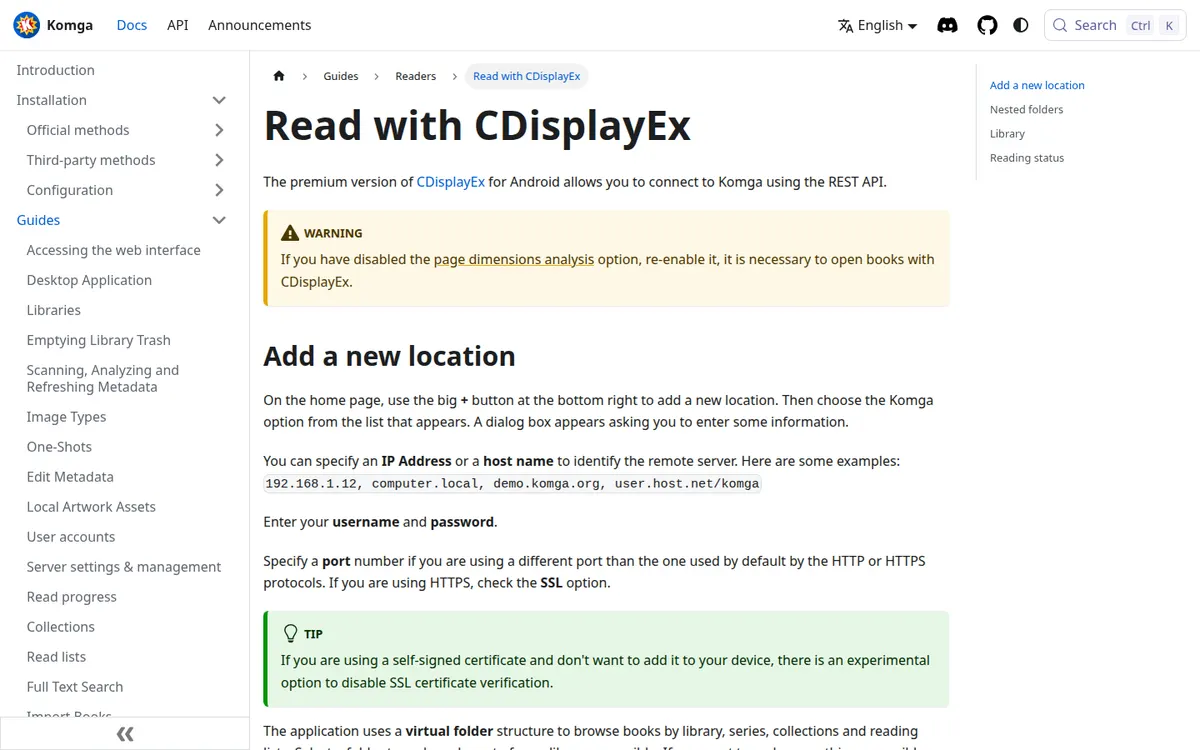
For a home library, server support is the main thing Premium adds. Komga's documentation has a CDisplayEx guide: once connected, the synced library is accessible offline. ... If you want to read a book offline you need to download it
. So the library list stays available offline, and each book needs a download first.
That setup suits a collection that lives on a home computer or NAS: the server keeps the files, the phone keeps what you are reading this week. Komga sets its restrictions by age rating and label per user on the server, so they hold for the account CDisplayEx signs in with. Local files, of course, read offline in both versions.
Watch out
Google Drive access is on the way out. The Premium listing says Progdigy is removing it because the CASA Level 3 security assessment Google requires costs more than is viable. If your comics live in Google Drive, plan on Mega, Dropbox, OneDrive or a server instead.
Privacy
No passcode, app lock or hidden folder is documented on the site or either Play listing. Anyone who opens the app sees the library.
On data, the two Android apps differ. Premium's Data safety card says no data is shared with third parties and that the app may collect app info, performance data and device IDs. Lite's card says it may share app activity, app info and performance, and device IDs with third parties. The privacy policy says We do not collect any personal information, but the app does use third party services that may collect information used to identify you
, and cloud credentials stay in the app.
For a reader with a lock on Android, Mihon has one; on Apple devices, Panels and YACReader do. See our private library comparison.
Price
- onceCDisplayEx Comic Reader Lite (Android)Freefree with ads
- onceCDisplayEx Comic Reader Premium (Android)$5.99paid app, no ads, cloud and Komga/Kavita access
- onceCDisplayEx desktop (Windows)Freefree download
Source: play.google.com. Prices change with region, promotions and the store you buy through.
US prices. Premium is a paid app, so there is nothing to renew or cancel.
Limits
- No iOS version.
- No lock or hidden library.
- Lite carries ads and declares third-party data sharing.
- Continuous scroll for webtoon-style files is Premium only.
- Google Drive support is being removed.
Pros
- Free Windows reader with a long history.
- Premium connects to Komga, Kavita and Samba, with offline downloads.
- One-off $5.99, no subscription.
Cons
- No iPhone or iPad app.
- Lite's ads and data sharing.
- No passcode lock.
- Losing Google Drive.
CDisplayEx alternatives
On Android, Perfect Viewer is the free alternative with no ads label, and it reads OPDS feeds from a server too. Mihon is free with an app lock, installs as an APK, and reads Komga through an official extension. On Windows, YACReader is free and open source and adds a library manager and a server for phones. Apple users have Panels and YACReader's iOS app.
If the plan is a server, Kavita and Komga are both free to run. The full comparison lives on the best adult comics apps page, and how to read manga offline covers the server-plus-phone setup step by step.
FAQ
Is CDisplayEx free?
The Windows reader is free for personal use and Android Lite is free with ads. Android Premium costs $5.99 once on Google Play (US price).
Is CDisplayEx available on iPhone or iPad?
No. The official site lists Windows and Android only, and no CDisplayEx app turns up in an App Store search.
What is the difference between CDisplayEx Lite and Premium?
Premium removes the ads and adds Mega, Dropbox, OneDrive, Komga and Kavita, continuous scrolling, bookmarks, night mode and image export.
Can CDisplayEx read comics offline?
Local files always read offline. With a Komga server, Premium keeps the library browsable offline, and you download a book to read it without a connection.
Does CDisplayEx have a password lock?
No lock, passcode or hidden folder is documented for any version.
Final verdict
Verdict
CDisplayEx is a sound choice in two situations: a Windows PC full of CBR and CBZ files, where the desktop reader costs nothing, and an Android phone reading from a Komga or Kavita server, where $5.99 for Premium buys the connection and removes the ads. Lite is a fair trial, though the ads and data sharing make it a poor long-term home for a private collection. With no lock and no iOS app, readers who need either should look at Mihon or Panels.