

In short
- Mihon runs on Android only. It installs as an APK from mihon.app or GitHub, is not on Google Play, and has no iPhone version.
- It hosts zero content and provides no extensions. Most third-party extensions point at unlicensed scan sites, which we do not cover.
- The legal uses are your own files, read through the local source, and a self-hosted Komga library through Komga's official extension.
- It is free, with no ads, no account and no in-app purchases, and it has an app lock, a secure screen and an incognito mode.
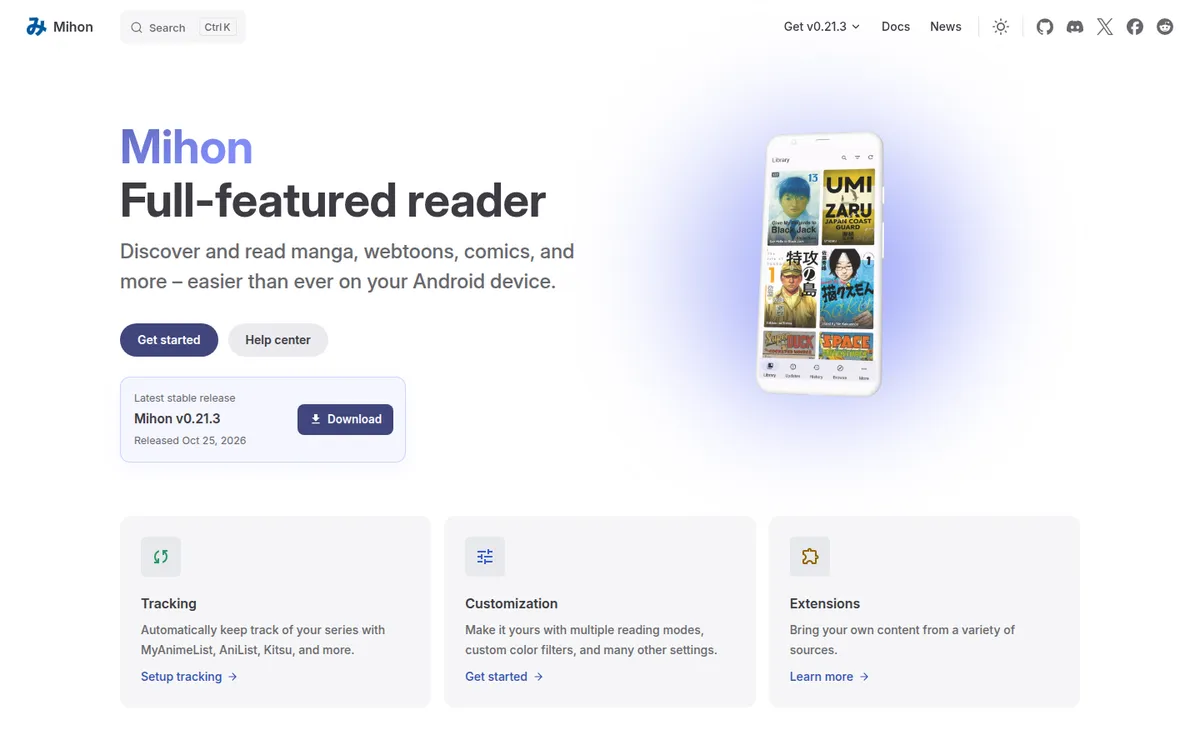
What the Mihon app is
Mihon is the open-source successor to Tachiyomi, licensed Apache-2.0. Its README credits code from 2015 by Javier Tomás, the Tachiyomi author, and the Mihon Open Source Project from 2024. The current stable release, v0.21.3, came out on October 25, 2026.
The project describes itself bluntly. Mihon is bring-your-own-content and does not offer anything
, its FAQ says, and Mihon does not have, associate, or provide any repositories or extensions.
The README disclaimer adds that this application hosts zero content.
Install it and open it, and the library is empty.
What the app does well is display images: a library view, several reading modes including right-to-left and a long-strip mode for webtoon-style files, bookmarks and optional sync with trackers such as MyAnimeList, AniList and Kitsu. It reads manga, webtoons and western comics as long as they are images. Light novels are out, because in the docs' words it's an image parser, not a text parser.
Extensions, and what we leave out
Mihon's browse tab is built around extensions, small add-ons that connect it to outside sources, and the app ships with none. Most third-party extensions point at unlicensed scan sites. We do not cover those sites, link them or explain how to add them: the artists are not paid, and the catalogs carry content we will not list. Our page on whether reading manga online is legal covers the wider question.
Mihon's own documentation also carries a security warning about third-party extensions: they will have full access to the app and may contain malware.
That leaves two uses we can describe, and both are legal: reading files you own, and reading a library you host yourself.
Where to get Mihon
The only official downloads are the APK on mihon.app's download page and the releases page of the project's GitHub repository. Mihon needs Android 8.0 or higher. The download page also offers a "foss" build of the same version; what it leaves out is not described on the pages we checked.
Mihon explains its absence from Google Play this way: APK-based extensions conflict with Google Play's content policy. Google might take down the app due to certain content, which the developers wishes to avoid.
Because it never goes through a store, it has no store age rating either.
There is no iPhone or iPad version and no plan for one. The FAQ is direct about copycats: Any app proclaiming to be 'Mihon for iOS' is not by us and should be treated as a scam.
A sensible habit for any APK is to download it only from the developer's own site or repository, and Mihon gives you both.
- iPhoneNo"There is no iOS or iPadOS version and neither are there plans for one." "Any app proclaiming to be 'Mihon for iOS' is not by us and…
- AndroidYesAPK from mihon.app / GitHub releases only, not on Google Play; requires Android 8.0 or higher.
- BrowserNo"Mihon is only available on Android."
What Mihon reads: the local source
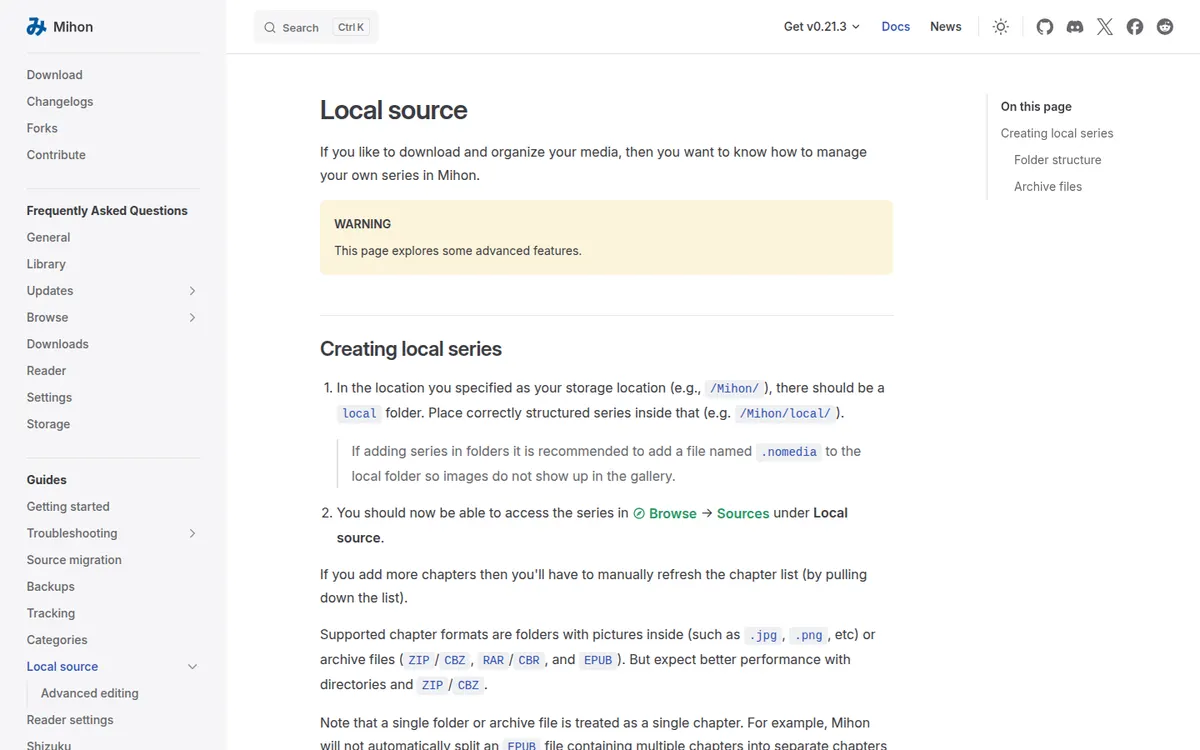
The local source is Mihon's way of reading files already on the phone. Its guide lists folders with pictures inside (such as .jpg, .png, etc) or archive files (ZIP/CBZ, RAR/CBR, and EPUB). But expect better performance with directories and ZIP/CBZ.
The structure is strict. Each series gets its own folder inside the local folder of Mihon's storage location (for example /Mihon/local/), and each chapter is either a folder of images or one archive inside that series folder. Get the nesting wrong and the series does not show up.
PDF is not on that list. That matters for adult comics, because several licensed stores sell PDFs. Here is how the DRM-free downloads from stores we cover line up with the local source:
| Where you bought it | What you download | Opens in the local source? |
|---|---|---|
| FAKKU (book digital editions) | PDF or ZIP archive of images | The ZIP, yes; the PDF is not on the format list |
| Irodori Comics | DRM-free PDF, 3200 px tall | Not on the format list |
| Iron Circus Comics | DRM-free PDF | Not on the format list |
| Affect3D Store | ZIP with PNG, JPG or PDF inside | Yes when the ZIP holds images |
| itch.io | Whatever the creator uploaded | Depends on the file |
| Patreon | Attachments the creator adds to posts | Depends on the file |
FAKKU's support page says its book digital editions come at 2600 or 3200 pixels tall, as PDFs or as ZIP archives of images, so choosing the ZIP gets you a file Mihon handles. On Patreon, creators with Adult/18+ pages may attach files to posts, and a ZIP of pages works the same way. For PDF-only purchases a reader such as Perfect Viewer or Kavita is the simpler route.
Reading a Komga library in Mihon
Komga, a free server you run on your own computer or NAS, lists "the Mihon extension" among its official ways to read, next to its web reader and OPDS apps. With it, Mihon reads the series stored on your own Komga server.
This route solves the PDF problem, since Komga itself handles CBZ, CBR, EPUB and PDF. It also moves the access control to the server: Komga can restrict each user account by age rating and by label, and limit which libraries each account sees.
Offline reading and downloads
Everything in the local source is already on the device, so it reads offline by definition. Chapters Mihon downloads are saved as CBZ files under a path like downloads/Source Name/Manga Name/Chapter Name (abcdef).cbz, which means they stay readable in other comic apps too.
The docs recommend one small step for privacy: put a .nomedia file in the folder so Android's photo gallery does not index the pages. Our guide to reading manga offline walks through the same idea for other readers.
Privacy settings
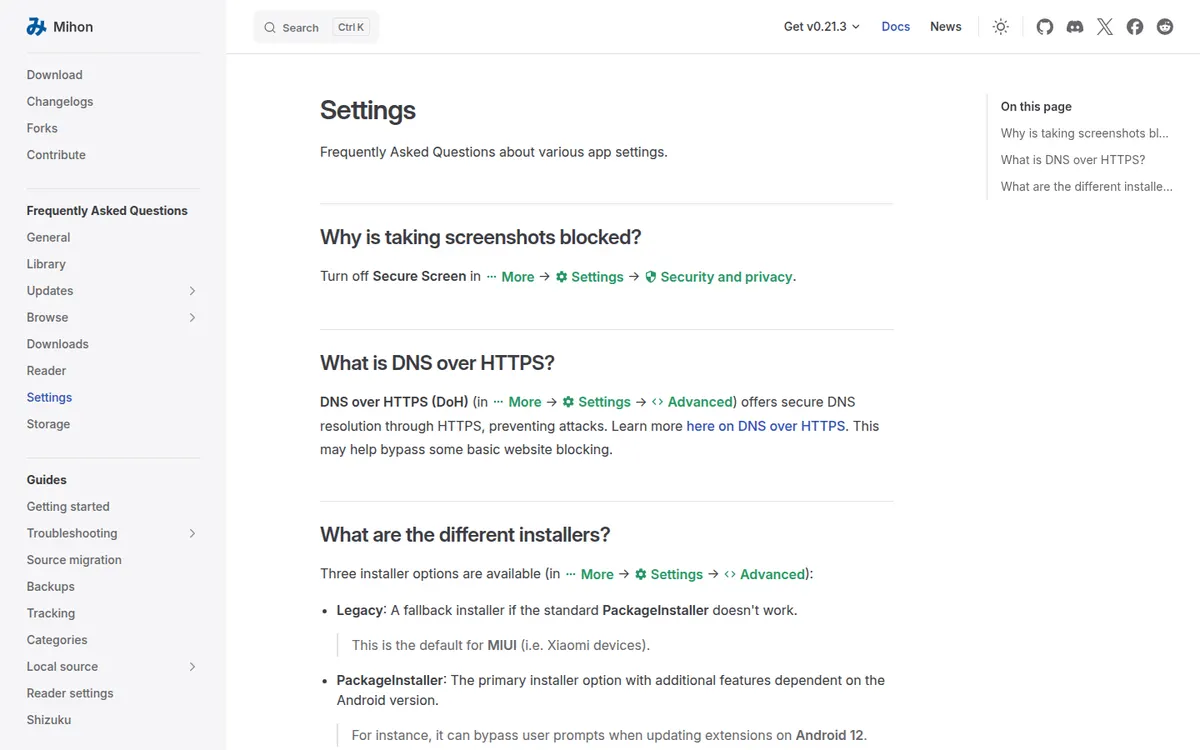
Mihon has more privacy controls than most file readers. Under Settings, Security and privacy, the app strings list:
- "Require unlock", the app lock.
- "Secure screen", which
hides app contents when switching apps and block screenshots
. - "Hide notification content".
- "Incognito mode", which
Pauses reading history
. - "Clear history", with the confirmation
Are you sure? All history will be lost.
No account is needed. The privacy policy, last updated September 3, 2024, says the app sends anonymized analytics data
to Google Analytics and crash reports to Firebase Crashlytics. Whether the foss build drops those is not stated. For a broader look at apps that keep a library out of sight, see private library features.
Price
Mihon costs nothing. There are no in-app purchases, no ads and no premium tier. The project is funded by donations through Patreon and OpenCollective.
Limits
- Android only, and only as an APK from outside Google Play.
- It ships empty. Nothing in the app is a catalog or a store.
- The local source needs a specific folder layout and does not list PDF.
- No text reading. Mihon calls itself an image parser, so novels are out.
- Most how-to guides online steer readers to third-party extensions for unlicensed sites, so a lot of the help you find will not apply to the legal uses.
Pros
- Free and open source, with no ads, no account and no purchases.
- Reads your own CBZ, ZIP, RAR and image folders offline.
- App lock, secure screen, incognito mode and history clearing.
- Reads a self-hosted Komga library through an official extension.
Cons
- No Google Play listing and no iPhone version.
- No PDF in the local source format list.
- Third-party extensions can carry malware, in Mihon's own words.
Mihon alternatives
If the folder rules or the APK install put you off, the other readers we cover do the same legal job in different ways. Perfect Viewer is the closest Android match: a free Google Play app that opens almost every archive format, with PDF through a plugin. CDisplayEx has a free Lite version with ads and a $5.99 Premium version that connects to Komga and Kavita. On an iPhone, Panels and YACReader both run there, and both can lock folders.
For a whole collection across several devices, a server is the cleaner setup. Kavita has a webtoon mode in its browser reader; Komga has the Mihon extension. The full list sits on our adult comics apps page.
FAQ
Is Mihon legal?
The app itself hosts nothing and sells nothing, and reading files you bought or a server you run is legal. The legal problem is with third-party extensions for unlicensed scan sites, which this site does not cover.
Is Mihon on the Play Store?
No. Mihon says its APK-based extensions conflict with Google Play's content policy, so it is distributed as an APK from mihon.app and GitHub only.
Is there Mihon for iPhone?
No. Mihon says there is no iOS or iPadOS version and no plan for one, and that any "Mihon for iOS" app is a scam.
Is Mihon safe?
The app is open source and downloadable from its own site and GitHub. Mihon warns that third-party extensions have full access to the app and may contain malware, and its privacy policy names Google Analytics and Firebase Crashlytics.
Can Mihon read PDF files?
PDF is not on the local source's format list, which names image folders, ZIP/CBZ, RAR/CBR and EPUB. A Komga server can serve PDFs to Mihon, or a reader such as Perfect Viewer opens them directly.
Does Mihon come with hentai or any manga?
No. The README says the app hosts zero content. What it shows is what you put on the phone or on your own server.
Final verdict
Verdict
Mihon is a capable, free image reader with better privacy settings than most, as long as you treat it as what its developers say it is: an empty shell. For adult comics bought as ZIP or CBZ files, or a Komga library at home, it does the job well. If your purchases are PDFs, or you are on an iPhone, Perfect Viewer, Panels or YACReader will be less work.